Tips · Myth vs fact
Print-ready files: six myths that cost a reprint
Print is where a design mistake gets paid for twice. Six beliefs that lead to reprints, what happens instead, and what we check before a file leaves the studio.
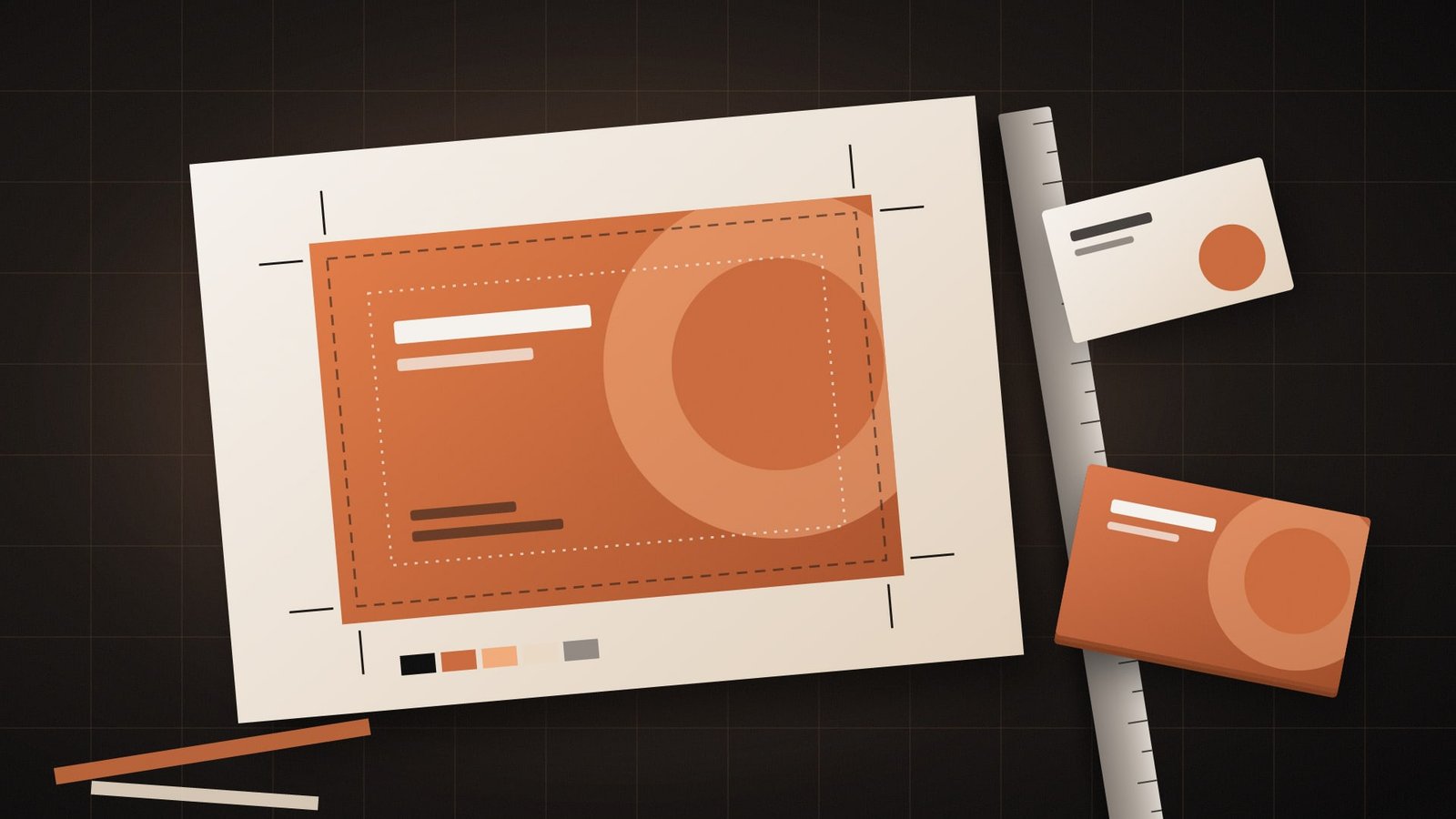
Print is the one place a design mistake gets paid for twice. Once for the job, and again for the reprint. Print-ready files are what stand between a launch and that second invoice, and most of the trouble we see starts with one of six beliefs, usually voiced the week before an opening.
This is a reference, written from the studio's view. One rule sits above all of it. Your printer's own file specifications win every time, so ask for them before anyone exports anything.
Six myths about print-ready files
Myth 1: If it looks right on screen, it will print right.
Screens make colour from light, in RGB. Most printing builds colour from cyan, magenta, yellow and black inks, in CMYK. Some bright screen colours have no exact CMYK match and come out duller on paper. Ask for a printed proof of anything where colour matters.
Myth 2: The edge of the page is the edge of the design.
Printers print on larger sheets and trim them down, and the blade can drift a little. Any colour or image that touches the edge has to run past the trim line into an extra strip called the bleed. Skip it and a thin white line can appear along the edge.
Myth 3: Text can sit right up against the trim.
The same small drift can clip a phone number or the corner of a logo. Keep anything important inside a safe area, a margin set in from the trim line, and ask the printer whether they have a template that marks it.
Myth 4: Any image from the website will do.
Images saved for the web are sized for screens, which keeps pages quick to load. Enlarged on paper, they turn soft or blocky. Use the original high-resolution photo and ask the printer what resolution they need at the final printed size.
Myth 5: Sending the design file is enough.
A design file that relies on fonts installed on your laptop can open on the printer's machine with something else swapped in. A print PDF with fonts embedded, or converted to outlines, prints the way you approved it.
Myth 6: Pantone and CMYK are the same thing.
CMYK mixes a colour from four inks on the page. Pantone is a spot colour system, where a premixed ink is used to match one shade exactly. Which one a job uses depends on the printer and the item, so your guidelines should list both values.
Bleed, trim line and safe area
Three lines on every print file decide whether a flat piece of print comes back clean. The bleed is the outer strip that gets cut away. The trim line is where the blade is meant to fall. The safe area is where the words live.
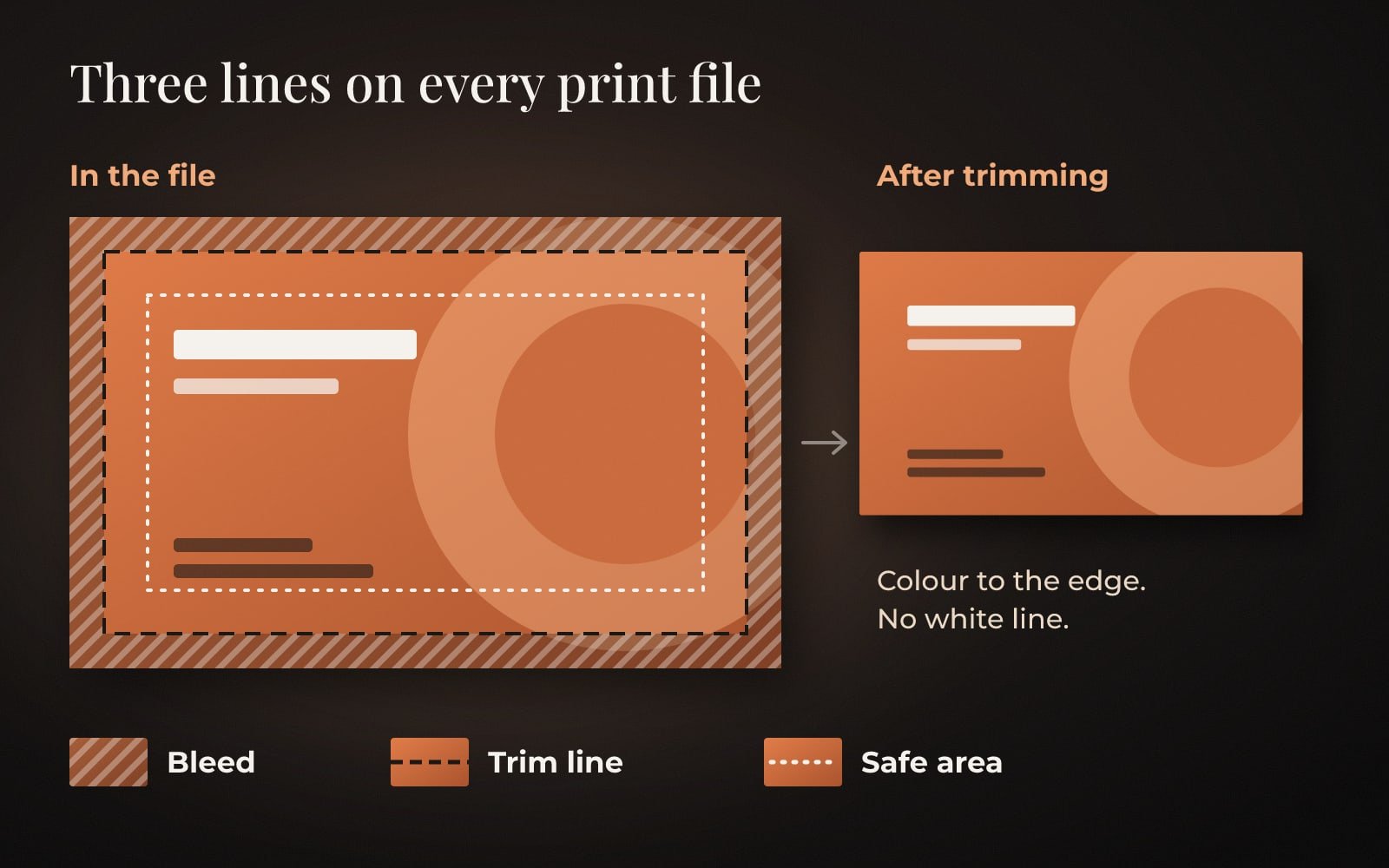
Most design software can show all three lines, and a good print PDF keeps the bleed in. The amount of bleed and the width of the safe area vary between printers and products, which is one more reason to read their specifications first.
What we check before a file goes to print
The file
- A print PDF, exported at the final size
- Bleed included, at the amount the printer asked for
- Text and logos inside the safe area
- Fonts embedded or converted to outlines
- Colours set up the way the printer asked, CMYK or spot
The conversation
- The printer's file specifications, read before export
- A printed proof for anything where colour matters
- Quantity, paper and finish confirmed in writing
- The editable AI file kept safe for the next print run
If the question is which file type goes to whom, our logo file formats guide covers AI, SVG, PDF, PNG and JPG in one table. The colour values themselves belong in your brand guidelines, where a printer can find them without phoning you.
Questions people ask
What does print-ready mean?
A file set up so the printer can print it without changes. Usually that means a PDF at the final size, with bleed, fonts embedded or outlined, text inside the safe area and colours set up the way the printer asked.
What is bleed in printing?
Extra artwork that runs past the trim line, so colour still reaches the edge after the sheet is trimmed. Printers differ on how much they need, so ask before you export.
Should I send my printer RGB or CMYK files?
Whatever their file specifications ask for. Printers differ, so check first, and request a printed proof if colour matters to the job.
Ask the printer first. Export second. Reprint, ideally never.
The Brandtastic team
Written by Brandtastic Design Studio.